Do You Actually Need the Meta Conversions API?
If you run Meta ads, someone has probably told you that you need the Meta Conversions API. They might be right. They might also be quoting you for a three-month integration you do not need yet. It is genuinely valuable for some advertisers and close to a waste of money for others, and the difference is not subtle once you know what to look at.
What it actually does
Your Meta Pixel runs in the visitor's browser, and that is its weakness. Ad blockers, tracking prevention in Safari and Firefox, and anyone declining cookie consent all sit between the pixel and Meta. Every event that gets blocked is a conversion Meta never learns from.
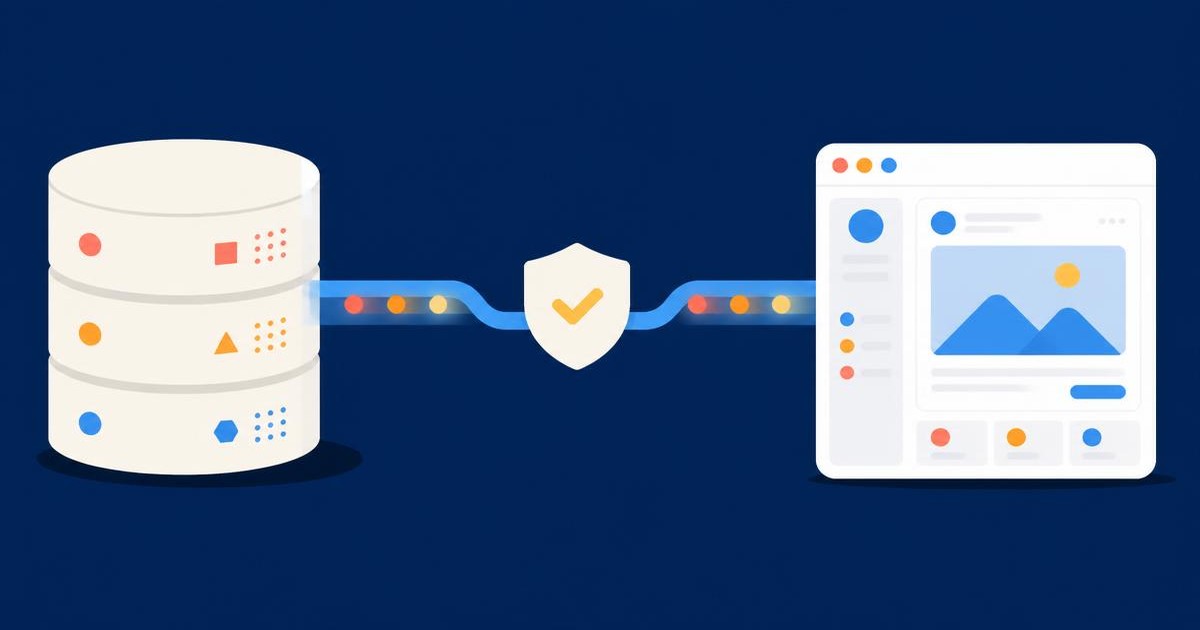
The Conversions API moves that reporting to your server instead. Meta describes it as a connection between your marketing data — website events, app events, offline conversions — and the systems that optimise ad delivery and measure results, sent server-to-server rather than from the browser. A server does not get blocked by an ad blocker.
The point is not tidier reporting. Meta's optimisation is only as good as the conversion data it receives, so starving it produces worse targeting at a higher cost. That shows up in your account as disappointing performance rather than as a tracking problem, which is exactly why it goes undiagnosed for months.
When it earns its keep
Your spend is high enough that lost data costs real money. If a meaningful share of your conversions never reach Meta, the algorithm is optimising on a partial picture. At small budgets that is an irritation. At serious spend it compounds every day.
Your conversions happen away from the browser. Phone enquiries, deals that close in a CRM weeks later, in-store purchases. The pixel cannot see any of it. The Conversions API can send those events back, and for lead generation businesses this is usually the strongest argument of the lot — you stop optimising for form fills and start optimising for leads that actually became customers.
Your funnel is long or multi-step. The more steps between click and revenue, the more signal you lose, and the more valuable it is to report the later steps directly.
When it is not worth it yet
Your pixel is not set up properly. Adding a second data source on top of a broken first one gives you two unreliable sources instead of one. Fix the foundation first.
Your conversion volume is very low. Meta's delivery system needs a reasonable flow of conversion events before it can optimise well at all. If you are getting a handful of conversions a month, better plumbing will not fix that — the constraint is volume, and the answer is usually a broader offer, a bigger budget, or a better landing page, not more tracking.
You are looking for a reporting fix. The Conversions API will not make your Meta numbers match your analytics or your accounts. Nothing will. Different attribution models measure different things, and expecting reconciliation is how people waste entire quarters.
The mistake that undoes the whole thing
Meta's recommendation is to run the Conversions API alongside the pixel, not instead of it — they call it a redundant setup. Which creates an obvious problem: the same purchase now gets reported twice.
The fix is deduplication, and it is where most botched installs fall over. Meta's recommended method is matching event_id and event_name across both sources — the pixel's eventID must match the API's event_id, and the event names must match too. Two details catch people out: events sent without an event_id cannot be deduplicated at all, and deduplication only applies when the matching events arrive within 48 hours of each other.
Get this wrong and every conversion counts twice. Your reported cost per acquisition halves overnight, everyone congratulates everyone, and the bidding algorithm quietly optimises toward a number that is not real. A badly deduplicated Conversions API setup is worse than no Conversions API at all, because it replaces missing data with confident, wrong data. If you take one thing from this article, take that.
What you need before you start
Meta's prerequisites are modest. You need a Pixel ID, a Business Manager, and an access token, with the token generated inside Events Manager. Worth knowing in advance: that option is only visible to users with developer privileges on the business, so if you cannot see it, you are looking at a permissions problem rather than a missing feature.
You then choose an integration route. A partner integration through your ecommerce platform is the fastest and covers standard events well. A direct server integration takes more development work but gives you control over exactly what gets sent and when, which matters if your valuable events live in a CRM rather than a checkout.
How to decide
Ask one question: is there a conversion that matters to your business that Meta currently cannot see? If the answer is a phone call, a qualified lead, a renewal, or a sale that completes offline, the Conversions API is solving a real problem and is worth the work. If the answer is only "some browser events are probably being blocked", it is an optimisation rather than a fix, and its value scales with your spend.
Be equally honest about who implements it. This is not a checkbox in Ads Manager. It touches your site, your server and your data layer, and the deduplication has to be right or the whole thing is counterproductive.
If you want a straight answer on whether it is worth it for your account — and a setup that measures what you actually sell — get in touch. We will tell you if you do not need it, which is not the answer everyone quoting for this work is incentivised to give. You can also see how we approach paid social more generally.